Footage in your pocket.

So it’s time to look at some footage from the Blackmagic Pocket Cinema Camera.

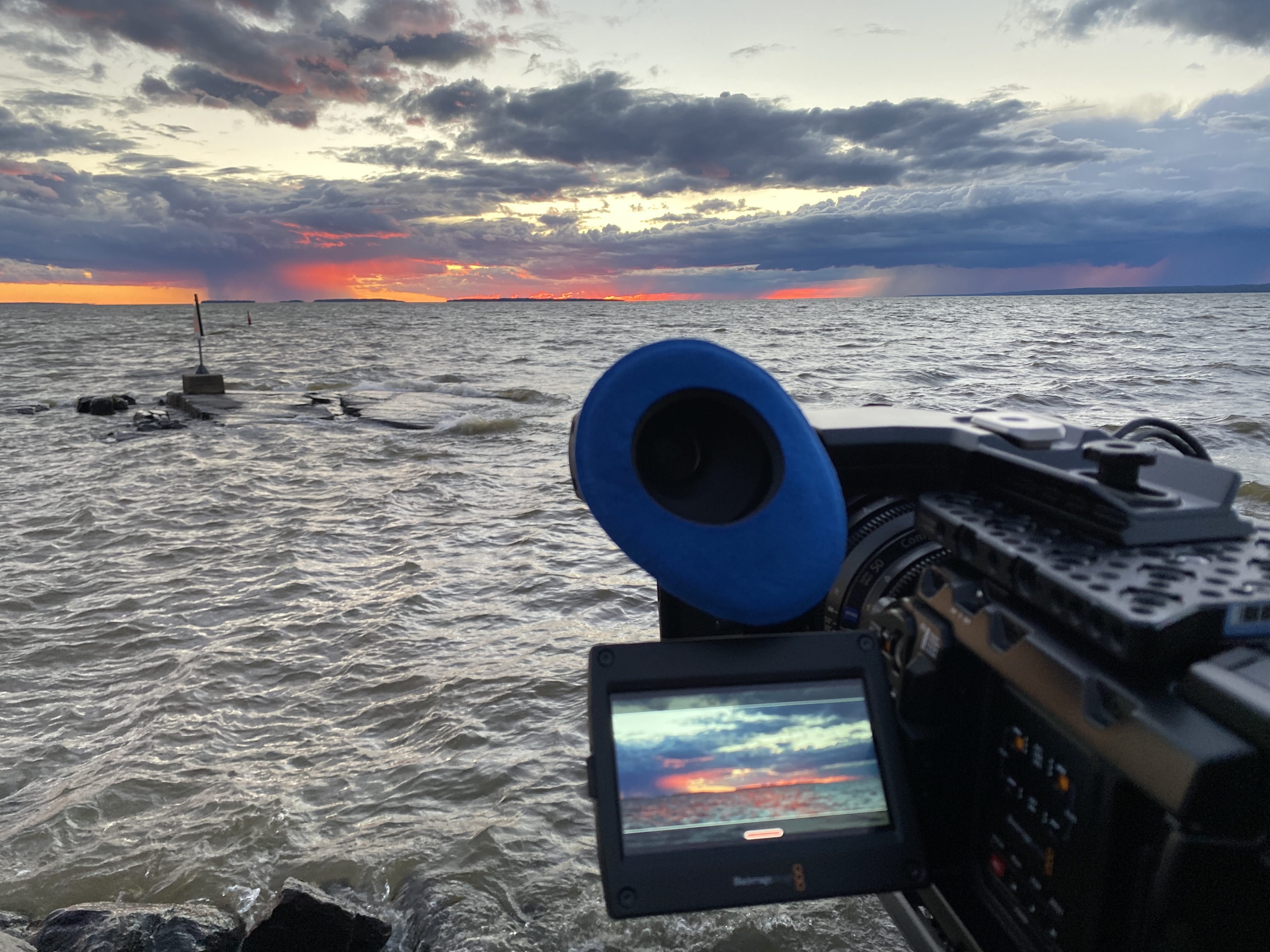
This footage was shot over about an hour at my local market on Sunday morning.  So yeah, it’s just home movies.    I was literally grabbing shots where I could whilst I was shopping !  But, you do get to see what one man can do with a pocket cinema camera and a 12-35 Panasonic m4/3 zoom.  I guess for those that like to shoot discretely, guerrilla or documentary style, this will give you a good sense of what you’re going to get.  The same great DR and look has been inherited from the BMCC.

All this footage was shot using the FILM look.   I set my exposure by ETTR and using the 100% zebra to indicate clipping.  I had IS on all the time.  I had a Hoya ND16 on as well to keep me at a slightly nicer stop.  I set the rear monitor to VIDEO and then used focus peaking all the time.

There are plans afoot to create something that’s more *finished* in the way of demo footage in a more formal and drama / narrative style, but for now this should whet your appetite.

Its rough and ready, and really it was just something I threw together very quickly.  Interestingly, I had one guy actually recognise that it was a BMCC pocket and several others stopped me to ask what the camera was !

I cut the footage using FCPx and used my colleague Captain Hook for the grade.  He’s made some fantastic LUT’s for Resolve as donation-ware to make grading BMCC footage even easier.  I encourage those of you who work with BMCC footage to check out these great LUT’s.  There’s some great before and after examples there as well.

Enjoy !

Posted in Black Magic Cinema Camera | Tagged , , , , | 191 Comments

The pocket rocket…Blackmagic downsizes the BMCC and does a 4K upsize of the orginal !

Blackmagic Pocket Cinema Camera

Blackmagic Pocket Cinema Camera

Well it’s NAB once again.  It was a year ago that Blackmagic blew everyone’s mind by launching a high dynamic range DNG RAW uncompressed 2.5K cinema camera for three thousand bucks.

It’s worth taking note of the fact that it was the first camera at ANY price point to offer on-board uncompressed RAW recording as well as ProRes and DNxHD.

Even a whole year later, that’s still an amazing and impressive set of features.  And more importantly, I think everyone agrees the camera has a great look right out of the box.  Their colour science and high image quality has become their trademark.

Whilst BMD have certainly had trouble getting the cameras shipping when they said they would, they seem to now be shipping in some more serious volume.  It’s been hard seeing how difficult it has been for the BMD camera team to be frustrated by issues largely beyond their control.  Even though they actually make all the parts that go into the BMCC, they don’t make the sensor, and that’s been the bottleneck.  There’s certainly plenty of BMCC’s out there now though that people are shooting with.  They seem to have dramatically sped up production in the last month or so, probably not wanting to be dealing with the lynch mob of customers with preorders at NAB !  Here’s one I like.  Meet me in Big Sur

I have been shooting with both the EF and mft versions continuously on the three different episodic TV drama series Puberty Blues, Underbelly Squizzy and the fourth season of Offspring (still in production).

OLYMPUS DIGITAL CAMERA

Little brother. This is my battle-scarred prototype m4/3 camera

With the tumult off the last year, BMD have managed to develop not one but two new cameras.

The more developed camera of the two that I’ve been road testing is the new Blackmagic Pocket Cinema Camera.

Blackmagic Pocket Cinema Camera

Blackmagic Pocket Cinema Camera

As you can see, they aren’t kidding with the pocket bit ! And it’s a LOT of fun.

2013-04-07 09.50.57

Blackmagic Pocket Cinema Camera Vs Iphone 4

What BMD have done with this camera is to take a super 16 size version of the exact same awesome sensor that’s in the current BMCC and shrink the form factor down to that of an iPhone with a lens mount. Then they added what many have clamoured for. An internal battery that can be easily switched out.

The camera has an ACTIVE m4/3 lens mount.  That means you can use any of the Panasonic / Lumix or Olympus m4/3 lenses that are already out there, and using dumb adaptors you can mount almost any other lens to the camera, including SUPER 16 cinema lenses, which will cover the sensor perfectly, and are ideal if you want that vintage look.

The great thing about the camera having an active mount is that you can now tap the already extensive list of native m4/3 lenses .  Many of the Panasonic / Lumix lenses also have image stabilisers as well.  I think IS is more of a want because the smaller sensor size and the much smaller and lighter form factor means rolling shutter will be more noticeable when you’re handholding the camera.  The Panasonic / Lumix 12-35 F2.8 is a treat on this camera. It will be probably be the GO TO zoom.

2013-04-02 15.22.50

My focus puller Cam Gaze plays with the Blackmagic Pocket Cinema Camera with the Zunow T2.8 11-16 m4/3 Zoom.

In theory you can also use some of the great 4/3 lenses (not to be confused with m4/3).  I happen to own a few.  Unfortunately the adaptor doesn’t yet seem to work (though it’s meant to) so these images are just suggestions of what should be possible. But it’s still a work in progress.

OLYMPUS DIGITAL CAMERA

PanaLeica 25mm F1.4 and 4/3–>m4/3 adaptor. Not yet working but should be shortly.

2013-04-03 09.19.37

The Olympus 7-14 F4 with 4/3–>m4/3 adaptor. Not yet working but should.

OLYMPUS DIGITAL CAMERA

The legendary F2 14-35 Olympus zoom. Focus works but not iris yet.

You can also use PL mount lenses and I think a lot of Super 16 PL mount lenses like Zeiss Superspeeds and Canon Zooms are about to surge in price.

2013-04-08 14.04.29

Blackmagic Pocket Cinema Camera with Hot Rod PL Adaptor and Zeiss CP2 28mm

OLYMPUS DIGITAL CAMERA

Blackmagic Pocket Cinema Camera with Olympus m4/3 45mm F1.8

2013-04-02 10.58.00

Panasonic m4/3 14mm F2.5 on the Pocket Cinema Camera

The camera records a smaller 1920x 1080 size instead of the larger 2.5K of the BMCC.  Ideally with Bayer sensors you do want to have a bit more resolution than your distribution medium, which is why 2.5K is a good size to rescale down to 1920.  However, testing the 1920 native sensor, there’s not a lot of discernible difference between the two resolutions.  There’s a crop factor of about 1.3X to the 2.5K BMCC.

As I mentioned the Pocket cinema camera also has an interchangeable battery and records to regular SD cards.  Though you can’t get away with any old SD card.  I’ve been using only the SanDisk Extreme Pro 64Gb.  Like we’ve discovered with the SSD’s, they aren’t all created equal, even when the specs say they are.  BMD are doing the research right now on this so expect to see a list of SD cards that will be recommended.

OLYMPUS DIGITAL CAMERA

OLYMPUS DIGITAL CAMERA

The sensor is exactly the same generation as the 2.5K BMCC, but it’s active area is 12.48 x 7.02mm, close to Super 16.

The Super 16 camera aperture is actually 12.52mm x 7.41mm.  So at first glance it seems like there’s a difference, BUT let’s remember the extra height is because super 16  camera aperture is actually 1.66.   The 1.78 (16×9)extraction from Super 16 size is actually 11.95mm x 6.72mm.  If you’re being fussy and want 1.85 it’s 11.75mm x 6.35mm

So the pocket camera active sensor actually is slightly bigger than Super 16 extracted for 1.78, BUT any super 16 lens will be designed to cover the slightly larger 1.66 size.  In other words, any lens that works for Super 16 will work with this camera.

Currently the prototype camera I have records only in ProRes 422 @ 10 bit, just like the BMCC. The plan is to add a NEW compressed RAW implementation of DNG. The spec allows for this be lossless (not lossy) and at 1.5:1 – 1.2-:1.

In fact, there has apparently always been an allowance for compressed RAW in the DNG specifications, it’s just very few of the existing DNG applications have implemented it.  Resolve will of course be able to read these new COMPRESSED RAW DNG files.  Let’s hope some of the other terrific DNG compatible applications catch up to be able to use the compressed RAW versions of RAW.

So, let’s step back and take this all in.

2013-04-02 10.58.06

Instead of a touch screen it features a traditional button style navigation. Note the new focus peaking colour too.

Basically we have a greatly shrunken version of the BMCC with the same proven sensor DR and IQ that records 1920 instead of 2.5K to SD cards in the same compressed codec of ProRes and in a new compressed version of RAW DNG. Oh yeah…and it’s going to cost one thousand bucks.

So what’s the point ?  Well.  the camera is tiny.  I mean it’s kind of ridiculously tiny.  A tiny camera means you can get shots you can’t get with any other camera.  Think of car rigging for example.  but also anywhere you have a tight spot that you’d struggle to get a regular BMCC or full size camera into.

It’s also going to be great for more covert or discrete uses.  The camera looks like a regular NEX style point and shoot camera so if you wanted to slip under the radar or you’re out in the general public it could easily go more unnoticed.

Frankly though, it’s insane that you can  get the same DR into a camera that’s so small.  Theres no reason you couldn’t slap regular super 16 lenses on there and get the great BMCC look from this camera.  It would take some pimping up to make this into a production camera but frankly, I think the camera is best in its naked form.

The lower cost also means its easier to put the camera into more risky shooting scenarios where the camera might be damaged, like stunts.

And of course, it makes an ideal B camera to a BMCC if you already have one.  It’s got the same sensor and the same look, plus you’ll get to access to those nice active m4/3 lenses.

The menu system is very nearly IDENTICAL to the current BMCC.  The main difference being that it’s not a touch screen, so it can take a little longer to navigate to some of the menus, but I don’t think it’s deal breaker.  Also, the peaking system is slightly improved now with a pleasant green colour.

The battery is actually the regular Nikon style battery and BMD choose this for it’s relatively low cost, small size and easy availability.

I’ve been using my existing m4/3 lenses and I’ve loved having the Panasonic 20mm F1.7 on there.  This is one of the cheapest fast m4/3 primes and it’s just great. It means I can just carry the camera almost as a personal video camera.

Frame rate options are the same as the BMCC, and top out at 30 FPS.

This thing is just so much fun.  Seriously.  It’s very easy to carry it on your person.  It’s not intimidating to use. And it’s a heck of a lot of fun.  I’ve ended up using it more for personal use.

While you don’t get the full version of Resolve like you do with the 2.5k BMCC you do get the LITE version.   The freely available lite version isn’t limited in any meaningful way for the kinds of things you’d use this camera for.  The lite version is exactly the same as the full version, except you don’t have noise reduction, higher than 1920 resolution output, ability to use more than one GPU (for faster playback) or 3D. Other than that it’s the same toolset.

The camera has a stereo audio input and mini HDMI video out for monitoring.  There’s also a remote LANC style control and a headphone jack. The firmware is basically the same as the BMCC, and the plan is I believe to make them the same as they go forward with firmware updates.

The Blackmagic Production camera 4K is a direct response to many of those clamouring for global shutter and higher resolutions with a larger sensor size.

The BMCC sensor is a near super 35 size, and they had to source from a different sensor family, but the early tests I’ve done are very promising with regards to maintaining the same BMCC look.  The engineers are working very hard to maintain the great colour science  and BMD “look” they’ve established with the BMCC.  Because of the different sensor technology, and because they’ve implemented a global shutter, there will be less dynamic range than BMCC and the pocket cinema camera.

At the moment there is only the EF mount available, but they will be looking at a PL mount in the near future.

So in the same form factor as the BMCC, they now put a near super 35 4K sensor.  Not only that but the global shutter, eliminates rolling shutter, something many found irritating to work with.  The active image area is  21.12mm x 11.88mm. Super 35 @ 1.78 is 24.89 mm × 14mm. By way of comparison the Sony F5 is 22.6 x 12.7mm and they get to call theirs Super 35.

Recording to the same media in RAW would be impossible at 4K data rates uncompressed in RAW so they’ve had to stick with ProRes for the moment.  It’s still visually lossless at 2.5:1 though. They are planning to introduce compressed RAW DNG’s later on down the track.  This is probably one of the first cameras to use the new 6GB/s HD-SDI standard too, which allows for lots of interesting possibilities down the track.  I think there’s plans for the better 12 bit flavours of ProRes but for now it’s 10bit 422.

Because of the global shutter and different sensor technology, the 4K one doesn’t quite have the same DR, but it’s still going to be very good and certainly better than most of the dSLR’s from what I can see.  It’s still early days and right now they’re trying to squeeze as much DR as they can, but the global shutter mode and slightly different sensor technology means it won’t match the BMCC.  I’ve shot some early engineering tests and it actually already looks very good.  When you directly compare it for DR, you see the difference, but by itself, the images are still great.

There is also a slight difference in the native ISO.  It’s not really been mapped out yet, but it looks like the camera will be a smidge less sensitive in terms of ISO.

At present the frame rates will be the same as the other Blackmagic cameras and go to 30 FPS.

For many, the 4K files, the very nearly Super 35 sensor size and the global shutter eliminate many of the concerns some had about the original BMCC.  I’m looking forward to getting a camera in my hands to start shooting with soon and I’ll upload some clips as soon as I’m able to.

The Blackmagic Production Camera 4K will ship with a full version of Resolve, like the BMCC.

Now for those wanting an active m4/3 2.5K BMCC,  I’m told that it will still be some time before that’s possible.  Basically, it’s a fairly big job to redesign not only the mount, but the electronics inside.  It will still be some time before this becomes an option on the BMCC, but obviously they’ve shown it can be done now ! My impression is it still months away from being able to be done.

BMD also plan to implement compressed RAW DNG’s in firmware in the future on the BMCC as well and try to unify the firmware across the three cameras.

As soon as I’m able, I’ll post some pocket footage.  The 4K will be a little further along.

So now there are three Blackmagic cameras.  A three-tiered structure.  If Super 35 size is your thing then the Production camera is for you.  RAW will still be a fair bit further along with this camera too, and it will probably be ProRes only initially.  The pocket cinema camera is just a whole bunch of fun.  I can’t wait for some of the great shot’s people will get with this camera.

The question for some will be…what should I do with my 2.5K BMCC camera ?  Should I cancel my order ?  Should I change it ?

I think there’s enough point of difference between all these cameras. I don’t think the 4K steals the 2.5K’s thunder for three important reasons, I’ll mention in a sec. The pocket’s advantages are more immediately obvious, and lets face it, 1K is nothing at all for the insane DR, look and IQ you get.  It’s an ideal B camera if you already have a camera or one on order. The only downside for me was the rolling shutter felt a little bit more pronounced when hand holding.  IS should help a lot though with this.

The Production Model ?  Well.  If 4K, global shutter and super 35 is important to you then this is your camera.  But the downside is you’re going to lose some DR.  At least a stop and probably more.  And you’ll loose a little ISO sensitivity as well.  And you might not have RAW initially when it’s released, only ProRes.  The final important difference RIGHT now is the EF mount.  I’d prefer PL myself, but I’m hoping BMD see that as an easy fix.  Look at the upsides though.  It’s 4K and Super 35 with a global shutter for 4K.  That’s pretty hard to ignore if any one of those features is important to you.  You get all of them for 4K.  I’m also assuming that BMD can work the same magic from the look they get from this new sensor.  So far it seems promising, but they haven’t finished working on it so the jury is still out.  But so far to me it looks like they’re going to get it very close to it being every bit as nice.

The other thing to take away from this….

Blackmagic Design are clearly settling in to stay as a camera manufacturer.  In only 12 months, they’ve come up with 2 new cameras, with amazing features for an amazing price. They aren’t mucking around it seems….

NB.  DEMO footage is still to come.  I’ll hopefully have something I can show before the end of NAB.  Rest assured though, the Pocket looks just as nice as the BMCC….

Posted in Black Magic Cinema Camera, Equipment | Tagged , , , , , , , | 243 Comments

Australian TV comes of age – Puberty Blues

scan130

This was taken the first day I met Debbie (Ashleigh Cummings) and Sue (Brenna Harding). Glendyn had also just introduced them to their first panelvan in the Souther star Car Park

*A WORD OF WARNING – There are many plot spoilers in this article about the TV series Puberty Blues as well as clips from the show that contain some slightly confronting material

LATE BREAKING NEWS>  Puberty Blues has just won the AACTA award for Best Television Drama.  This is Australian Televisions’ highest award and is just recognition for this outstanding drama series.

- Network Promo for Puberty Blues.

Puberty Blues is an iconic Australian book that based on a witheringly brutal and honest account of two best friends growing up in the misogynistic surf culture of Cronulla  (aka the shire) during the 1970’s.
A semi-autobiographical book by Kathy Lette and Gabriele Carey, it was made into a popular film directed by Bruce Baresford of the same title that was released in 1981.

OLYMPUS DIGITAL CAMERA

Debbie (Ashleigh Cummings) and Sue (Brenna Harding) share a ciggie.

Puberty Blues is incredibly widely read and known, with most Australians being familiar with either the film, the book or both.  I remember reading the book in high school when it was a compulsory part of the literature curriculum and in time it’s become an important proto-feminist work.

Producers John Edwards and Imogen Banks were exploring classic fiction for TV series adaptation and it seemed like the perfect time to revisit Puberty Blues.

I’d not long finished the third series of Tangle when setup director Glendyn Ivin rang me to see if I’d be interested in coming aboard to shoot the series.

OLYMPUS DIGITAL CAMERA

Uber Producer John Edwards

This was something that was somewhat personal for John Edwards.  Having grown up in the same era he felt it was really important that we shoot the entire series in Cronulla and not double any other locations or have any studio shooting.  In fact, as much as posisble we tried to use the locations that were described in the book.  That meant shooting on the beaches of Cronulla, from south Cronulla all the way up to Greenhills.

It’s funny how sometimes what seems like a limitation turns into a plus.  Location based shooting always seems to have the edge for me in terms of authenticity.  The fact we were shooting on the very same beaches that were being written about in this book infused the stories credibility even further.  There were no sets at all, but all real locations or in some cases locations created for us by production.

OLYMPUS DIGITAL CAMERA

Darren Peters (Tyer Atkins) with a vintage board and wetsuit at Greenhills

The book was our starting point.  People are probably familiar with the film, but the book is a far darker and more honest read.  One of the first things I did after Glendyn invited me to join the production was to read the book again.  With the classification laws of 1981, there was a lot of ground the film couldn’t cover and we wanted to make sure we explored all of the more difficult material.

Even by today’s standards, the content certainly raises eyebrows, especially when you consider the authors were 19 when they were writing about their time as 13 year olds.  It has an incredible direct rawness and honesty.  The tone is also really interesting.  There’s no way that Puberty Blues could have been written by an “adult”.  It has a kind of beautiful naivety.

OLYMPUS DIGITAL CAMERA

Puberty Blues is really about a friendship between two young girls.  The kind of friendship that means you share everything…The kind of friendship you really only ever have at that young age.  In the background of this intense friendship is the macho surf culture of 1970‘s Australia, filled with a very particular vernacular which is inhabiting a world of casual brutality and tribalistic youth gangs with specific rules and protocols for each tribe.

To me this world would be about the intense friendship and the wide eyed innocence of these girls desperate for acceptance colliding with the casual brutality of a world that values surfing above all else, including the girls themselves.

In talking about creating the look for Puberty Blues, we didn’t really want to make something that was nostalgic.  We actually wanted honesty, much like the book itself was.  We wanted to have it “feel” right.  The tone was the most important aspect for us, not for it to be some kind of rose coloured reminiscing of an earlier time.

OLYMPUS DIGITAL CAMERA

The scripts, like the book were  unflinching and in a way, non-judgmental.  It would be the audience themselves that would project their judgement onto our girls, for better or worse.

We didn’t want to sugar coat anything, nor did we want any kind of heightened or romanticised version.  We just wanted to present the story as it was and not embellish it too much.  By keeping it raw, we also felt we were more truthful to the perspective of the girls as they were in those moments.  There would be no hard sell’s of chicko rolls and obvious music choices either.

Like the account of the girls themselves, we wanted raw, untouched.
We also decided early on not to use stock footage.  There have been a string of 70‘s period shows on air recently that made great use of stock footage,  especially from the era we were dealing in, but we really didn’t want to take people out of our world.

We wanted very much to be anchored in our own world and to not have Puberty Blues become just a nostalgia trip.  Of course the audience may have that kind of response anyway, but we wanted that to be in the background, not front and center.  Puberty Blues would still put story telling and drama out front and we had some really difficult material to deal with and we didn’t want to shy away or trivialise any of that either.

Pubes_Scan041

Glendyn Ivin – Setup Director

In talking about Puberty Blues with setup director Glendyn Ivin, we wanted to make it about the feel as much as the look of the show.  We concentrated really hard on setting tone.  After reading the book, you realise that it could have only be written by very young women.  We wanted to try and capture the same un-selfconcious, uncensored tone that felt like it was an honest outpouring.

Puberty Blues was to look raw, unpolished and untouched.  We kind of wanted the awkward mistakes and ungainly gestures that young adults have in spades, when they’re completely oblivious to their projected image.

Through both design elements and how they would be integrated into the shooting style itself.  We wanted to have the same kind of innocence come through the images themselves.

Glendyn and I started looking at a lot of visual reference material.  Joel Sternfeld was important starting point for us.  His colour work especially from the 1970’s in LA was a great starting point.  He had a great way of capturing the akward proto-adult postures of skater youth from LA.

It was also an era that was especially close to Glendyn Ivin’s heart too.  He has more visual reference material for this era than a state library !

We were also greatly influenced by an amazing but obscure and hard to find Swedish film called En kärlekshistoria.  Actually shot during the 1970’s it was exactly the kind of raw and unfinished naturalistic tone we wanted.

Before we go into the more techy stuff, here’s a short montage from behind the scenes on Puberty Blues, all shot using the Blackmagic Cinema Camera.

We explored the possibility of shooting on Super 16, as film origination might have been another subtle way to reference the period.  Unfortunately, the cost just ended up being far too expensive and it wasn’t economically viable.

OLYMPUS DIGITAL CAMERA

Arri Alexa with the 150-600MK2 T6.7 Canon Zoom

Digital image making with cameras like the Alexa and EPIC have been great for us as cinematographers, but I do wish though there was a way to introduce imperfections or flaws.  Some way of creating randomised image imperfections on set.  Film has them by accident.  I can cross process film, so that it actually goes through the wrong chemistry,  I can even deliberately underexpose or overexpose the film and it will still create a visually interesting result.

It’s much much harder to do this with a digital camera.  In a way, they are too perfect.  And they are too consistent !  So now more and more I look to find ways to create interesting looks in camera from the actual set design, from the way I light things.

For Puberty Blues, we decided to focus on using vintage lenses to create our imperfect and raw look in-camera.

OLYMPUS DIGITAL CAMERA

Arri Alexa with 25-250 Angenieux

OLYMPUS DIGITAL CAMERA

Reef Ireland ( Bruce Board)

For a while we even toyed and went as far as testing anamorphic lenses.  But the Alexa 4×3 cameras were very new and couldn’t be easily had and so the 1.78 crop from the 2X anamorphic on a 1.78 sensor was far too great.  Those tests did look glorious and for a while and we wondered if we could convince TEN to put it to air as 2.35 !  I really wish that 1.3x anamorphic lenses were more readily available so we could have 1.78 Anamorphic when shooting on a 4×3 sensor camera like the Alexa.

OLYMPUS DIGITAL CAMERA

“A” camera operator Geoff Owen with a MK2 Zeiss Superspeed, our workhorse lenses.

Instead we searched for the oldest lenses we could find to put on the cameras.  We’ve reached to the tops of the shelfs at the camera rental companies and dusted off the oldest lenses we could rent. Old Cooke and Taylor-Hobson zooms as well as Zeiss superspeeds ended up our main lenses of choice.  On the Canon C300 and Blackmagic camera we were often using Glendyn’s own Leica R series lenses.

OLYMPUS DIGITAL CAMERA

Getting the condensation out of our lenses in the early morning.

Using vintage lenses help give us a uniquely imperfect look and I have to say I was so surprised at how beautiful these old lenses can be.  All their optical faults and imperfections actually give us a very raw look that is totally unique.  In other words, they gave us the RAW and un-polished look we were chasing.

Black Magic Cinema Camera on the beach

Black Magic Cinema Camera on the beach

Puberty Blues is also shot on some very very long lenses. Like crazy long.  Even our wide shots were often on 50mm or 85mm lenses.   We called the 35mm lens “voldermort” because it was almost never mentioned when talking about coverage.  I don’t think we ever put the 18mm lens on.  On the beach it wasn’t unusual for us to shoot dialogue using a Canon 150-600 T6.7 with two 2x doublers, giving us a ridiculous 2400mm !  I’ve never shot  drama using such high focal length lenses.

OLYMPUS DIGITAL CAMERA

“A” camera focus puller Pim Kaulk looks to camera while Geoff Owen (A camera), myself on B camera and “B” camera focus puller Frank Hruby work on the beach with the LONG glass

LONG LENSES

- In this early scene, the girls venture away from the safety of South Cronulla beach to Greenhills beach, in an attempt to try and gain acceptance by the Greenhills gang. Most of this scene is shot at the long end of the 150-600MK2 Canon with the 25-250 Cooke and Angenieux doing the “wide” shots.  It was actually quite a difficult scene to pull off as we had a lot of our cast, on the beach and several riding horses bareback !  Plenty of variables to go wrong…

Long lenses created a really unique perspective and also helped to eliminate non-period backgrounds as well, especially when we couldn’t realistically lock down the entire Cronulla beach.  The big giveaway was usually people wearing non-period colours walking their dogs through the background. Fluro colours were the worst !

Puberty Blues is being shot using Arri Alexa’s as the principal camera, supplied by Video Australasia.  Main unit also carried Canon C300′s in C-LOG and we also used the new Blackmagic Cinema Camera, shooting a mix of DNG and ProRes 422 HQ.  The Alexas were shooting ProRes 4:4:4:4.

We also have a surf unit that used RED EPIC cameras, mainly for their smaller size and great high speed options. There was also some Alexa work in the water as well and one of our Alexa’s had the high speed option enabled, which meant we got some lovely long lens 150 FPS surf photography from shore as well.

Tim Tregoning and Roger Buckingham took care of a lot of the in-water surf work.

Craig “Jacko” Jackson and his team of unflinching grips did an amazing job, especially trudging up and down the beaches !

We tried to get as much surf photography done early on  in the shoot as posisble.  Principal photography didn’t start until the beginning of April.  The water temperature was already dropping as we went into winter and from a script point of view, the cast had to appear in the initial episodes without wetsuits as was the style for summer surfing in the era.

SURF FIGHT

- This sequence illustrates how with multiple units shooting over multiple days we had to piece scenes together.  There are EPIC slow motion shots, shots on Alexa from shore and in the water as well as BMCC footage.  Doing dialogue in the surf is not for the feint hearted ! Just try to imagine how it was mic’ed as well !

Puberty Blues was created as an 8 episode series and unusually, there were only two directors.  Glendyn Ivin was the setup director, doing eps 1 & 3 followed by Emma Freeman who did eps 2&4.  Glendyn then returned for eps 5 & 6 and Emma finished the series doing 7 & 8. It put a lot of preassure on both Glendyn and Emma who would be doing post for their respective first blocks whilst doing pre for their final blocks but I think it all made the show very tight and consistent.

OLYMPUS DIGITAL CAMERA

Glendyn works with Ashleigh and Brenna.

Both Glendyn and Emma are highly performance oriented directors.  They both in their own ways value extreme naturalism and truth in performance and look over all else. When it came to blocking and staging the actors, neither wanted to be too prescriptive.  We tended to get the actors into the space and see what they wanted to do and then we tried to follow and keep up.

So rather than coming with pre-arranged ideas about the blocking, we’d try to be as open as possible and let the actors themselves determine it.  Sometimes this wasn’t always possible because you’d run into issues with non-period backgrounds but I felt like it was my job to get out of the way as much as possible and create a performance friendly space.

Pubes_Scan023

Debbie ( Ashleigh Cummings)

F1050036

Sue (Brenna Harding)

I think a large part of the success of Puberty Blues comes down to the amazing performance of the cast and especially that of both Ashleigh Cummings (Debbie) and Brenna Harding (Sue).  I’d like to think that as the cinematographer, I was able to contribute to that performance by not only capturing their performance visually, but creating an environment and tone on set that had them completely at ease with the sometimes difficult material they had to deal with as young performers.

TOILETS

- This is one of my favourite scenes in the show.  It’s so heart breaking.  Sue has earlier tattooed her then boyfriend’s initials Danny Dixon into her thigh but has just publicly humiliated her.  Debbie is trying to help but it only serves to rub salt in the wounds as she talks about her boyfriend Garry.   Sue realises her boyfriend Danny will never measure up as well as Gary, Debbies boyfriend.  You can see this in a single withering look from Sue, that Debbie can’t see.  This was brilliantly staged in the toilettes so that we can see what’s going on, but they can only “hear” each other.  Lighting is this is again kept simple and from outside the *set. A couple of 4k HMI pars into the frosted windows from outside.  You can see how these lamps play in the wide shot.

Sometimes this also means not being selfish about the images or lighting things that you’d like to fix.  You have to judge when to intervene and when to just let things go for the better of the show.

Pubes_Scan028

OLYMPUS DIGITAL CAMERA

OLYMPUS DIGITAL CAMERA

When casting the show, Glendyn and the producers had specifically targeted younger cast that were new. We had several gangs of girls and guys that were in mid teens and several were doing a TV series for the first time.  Having such a young and relatively inexperienced cast along with our desire to create very performance friendly environments on set meant we tried as little as posisble to have the filmaking process impose itself on the set.

To that end, we tried to create a kind of holistic process for our lighting and staging as well.  We tried as much a posisble not to mark the actors at all.  That’s not to say we don’t use marks, but my amazing focus pullers tended to simply mark out the space itself.  That way, the actors had the relative freedom to move where they wanted to and we could still have a chance of keeping them sharp !

Pubes_Scan025

“B” camera focus puller Frank Hruby

A camera focus puller Pim Kaulk and B camera focus puller Frank Hruby were so amazing and selfless for allowing me to create that environment on set.  It required that they adapt a little to the way I wanted to work.  They had a very high strike rate.  Frank especially, who with me on the B camera tended to be on the longer lenses.

OLYMPUS DIGITAL CAMERA

Emma Freeman in particular also loves to cross shoot, and I always try to accommodate that.  For those that don’t know, cross shooting is when you shoot both sides of the action in a scene.  Traditionally, it’s not done because it’s a really big compromise in terms of lighting and it also often means that the actors have to land in the right area to allow the cross shoot to happen so the cameras don’t see each other.

Emma always likes to shoot her close ups first, and then work back out to wider coverage so we tended to cross shoot close ups, often taking more takes than usual.  Once Emma has the performance she wants we then work back out.  Both Emma and Glendyn also really love to shoot without rehearsing.  So once we’ve done the block through we set the coverage up, do a quick line up to make sure the frames will have a good chance of working and then we go for it !  It’s a huge burden on the operators and focus pullers, but it also leads often to magical and unexpected things happening in the take.

CROSS SHOOTING


- In this scene, Emma knew there would be dynamite as Judy Vickers (Claudia Carvan) tries to make peace with her daughter Debbie (Ashleigh Cummings).  We shot the two CU’s first and Emma used the very first unrehearsed take we did.  We shot a looser mid and a another long wide outside the door to complete.

There’s a perception with cross shooting that it’s faster or somehow saves time and I’d actually argue it’s about the same as regular conventional coverage.  That’s because it often take a little longer to set the cameras and to light simply because you have to make it look good in two directions.  What cross shooting does give you though is the ability to have actors overlap their dialogue and for the continuity for each to always match.  And it means the actors are working of each other’s performance rather than feeling like all the attention is only on them for their single.

MORE CROSS SHOOTING

- This was the first time we meet Ferris, and we needed to set up his relationship to Gary.  This was cross shot so that we could get both sides of the action when the slap happens.  The only lighting was a bit of fill for some of the slap part.  Everything else was as is.

I’ve ended up developing a lighting approach that also allows cross shooting more easily, simply by building the lighting into the sets and locations themselves.  On top of that, we tried to stage scenes in locations within the set that had the best natural light for that time of day.

We attempted a very holistic approach to our lighting.  By working closely with designer Jon Rohde, we tried to choose locations that would enable us to light using natural lighting, and then having the curtains and dressing on the windows become the diffusion and scrim frames that I’d normally build.

This mean we effectively would light from outside the set.  Although we did occasionally bring lighting hardware into the set, we tried to give as much of the space over to the actors as we could.

When working with such a young and sometimes inexperienced cast, especially with challenging material, we wanted to make the space as intimate as possible. We tried not impose too much of the filmmaking process on them and just adapted ourselves to them.  It was all about trying to make it a very actor friendly working space.

OLYMPUS DIGITAL CAMERA

Naturalistic lighting – Supplied via Mole Beams

LIGHTING

- For this location at Cheryl’s house, the art department created a wall of shear curtains and lace for us to light through.  There wasn’t a lot of room out the windows and this scene was lit using only natural light and a single 1.2k HMI Mole beam for some harder sunlight accents along with a 575 HMI par without a lens.  This meant we could still create a bit of shape and just let the natural light through the curtains do the rest of the work.  The actors were stages along the line of the curtains which also helped.

If we put down marks, it was focus only, not for them to hit. We were lucky enough to have two very talented focus pullers, Pim Kaulk and Frank Hruby on A and B camera respectively.

Night interiors were often lit again, using numerous pracs supplied by the art department.  Instead of “film” lights we’d just use practical light themselves.  Pracs are no longer motivating a light source, they ARE the light source.

MRS. H

- This is a great example of the TONE Glendyn was really going for…Of adolescents being naughty and getting up to mischief.  It was created very organically.  We kicked everyone out of the room and Glendyn worked with the cast for quite some time to layer what they were doing in the space.  In the end the main lighting was an uncorrected fluro practical kino that gave a great greenish cast and a couple of tungsten pracs.  That was it, just pracs.

We tried a mix static and tripod operated shots with easyrig / handheld shots.  This gave us a lovely mix of more formal shots which we could then intermix with the easy rig shots which produced a very subjective and more visceral kind of of shot.  We were really trying to get into the perspective of these young girls and to try and see the world from their point of view, and with their innocent and non judgmental eyes.  We often would shoot from below the adult actors eyelines to literally give it a younger perspective.

This is the saving grace of the Easy Rig.  I actually don’t like using it but the Easy Rig does allow you to get cradled handheld shots from lower eye-lines whilst allowing for a sustained endurance.  I could hold the camera for much longer periods of time than if I was just holding it in my arms.  I used the Arri’s extension viewfinder bracket to put the viewfinder at a comfortable operating height and I mostly pulled my own focus for these style shots.  That meant I could listen to the scene on coms and simple trade the focus around as I followed the scene itself. With such long lenses I often couldn’t hear what was happening unless I had the coms and it became an essential part of our shooting style.

It leant us a very unfinished and unrefined shooting style that counterpointed nicely with the more formal style of coverage we were tending to do with the A camera.

My electrics teams was headed up by Mark “Barky” Jefferies.  I really appreciated his no-fuss demeanor.  HE really did just get on with the jo and really got on board with the visual approach Glendyn and I were trying to establish.

Although a lot of the time we were trying to be as naturalistic as possible this wasn’t mumblecore.  We still wanted to achieve a raw beauty through naturalism.  A key scene that mixed practical lighting with our own lighting was the end of episode 3 when our girls sneak out of home for the first time and have their first shared experience with the greenhills gang and their newly acquired boyfriends.  It would also tragically mark Frieda’s story and show the darker and more sinister side of being a part of the Greenhills gang.

Pubes_Scan058

Wherever possible we tried to use the existing natural light and schedule to be there at the right time of day.

FIREWORKS

To say Glendyn has a *thing* for fireworks is an understatement. His short Cracker Bag won the 2003 Palm D’Or.  https://vimeo.com/8833777

From the very earliest days of pre he was talking about this scene.  Glendyn really wanted the chaos of the beach party along with the recklessness of teenagers in an age when fireworks were easily acquired.  We were somewhat restricted with what we were able to do with real fireworks, given the safety concerns with our young cast.  The trick was to create the sense of dangerous kids skylarking with fireworks without it being dangerous.

Working with Barky, we created three 30’ towers to which we attached vertical strips of 1k Par cans.  By choosing a range of colours and using a desk to program them to chase we could create a sense of kinetic lighting with colour.  The lights would chase from the ground up to the top of the tower…stay on for a few moments and then fade, replicating the effect of fireworks at close range.  By putting a couple of bonfires in the deep BG and some ground pots discharged by VFX along with some actual fireworks we had a great mix of real and practical lighting.  I had two single 4K HMI’s on towers on the deep BG of both lines of action in order to create a backlight for the two directions we needed to shoot.

We also had a few hours to shoot this key scene, and with it being set on a beach, everything would take that much longer. It was over a Kilometre from the nearest point you could drive a car and access was very difficult. The fast turnaround of TV meant we couldn’t shoot past 11PM.  This meant we had only about 4 hours of darkness to shoot.

FIRST KISS

We all knew this would be a really important scene, Debbie and Gary’s first kiss.  It was staged and scheduled for one of Glendyn’s favourite locations, the “pipes”.  The pipes were actually created by production.  Glendyn and the producers really wanted a spot for the gang to hang out away from the beach but also away from parents.  We found this great horse riding park in Kernel right near the oil refinery.  We then brought in these concrete pipes for the kids to hang out in.  Like all the important scenes of this show, they all seemed to be the ones with the least amount of time to shoot, which creates a kind of crazed mania while we’re shooting.

Glendyn had deliberately had the pipes positioned so that you could see the oil refinery deep behind in the background.  We turned up with only about 20 mins of daylight left so we had to work very quickly.  I had the Alexa out with a 25-250 on, but I was still waiting for the head to arrive. as we were moving from another location.  The actors were already there and ready to go and I could see the sun disappearing.  It was beautifully lighting up the oil refinery behind so I grabbed a shot bag and plonked it on the head and we rolled up without waiting for the head to land !!  And it was a good thing too.  The take went for about 2 minutes and you literally watched the sun fading on the background as the take went through the camera.

We still had the closeups to do and the pipes made it very very difficult to get both angles.  We shot Ashleigh’s side first in a mid and a CU and then I basically crawled into the pip from the other side with a C300 and a 35mm R leica prime on and shot the Garry side of it.

With different cameras and the lighting changing so quickly it was a lot of effort to get the match to happen in the grade and the lens size doesn’t really match, but we just had to get  it while the light was there.

PIPES

- Also at the Pipes, and another example of the use of cross shooting, for this awkward first kiss between Bruce board and Debbie Vickers. Also one of the few times we used steadicam on the show to bring the girls into the location.

DANCE

-An interesting challenge to shoot this as not only did we have to convey the dance itself in all it’s glory, but we also had several important pieces of dialogue to get through as well.  We had a lot of extras as well, I think upwards of 60 with the parents and the additional dancers.  I hung a couple of 6K spacelights above for most of the level and I then had plain festoon lights positioned in the background against the red curtain and the stage.  I had 2 K fresnels as back edges for both looking at the dance and then when we spun around to look at the parents watching.

NIGHT BEACH

We had no time at all for this scene and there was pressure to cut it altogether.  The final sequence on the beech was shot in a matter of about 10 minutes with a single camera.  You’ll notice the first shot is a single shot that carries Sean and Vicky up the street.  It’s a 300mm Canon and the fine work of Frank Hruby pulling focus.  From memory there were only 3 takes of this.  I had a couple of 2k blondies and some down deep on the left and a single kino in daylight supplementing the existing street lights with some CYAN 15 on it.  You can see the colour mix at their feet as they walk through it along with the green of the practical mercury vapours in the deep background.  I also had the first organise a couple of cars to drive through the background of the shot to give us some headlights in the deep back ground.

Once we got to the beach itself we literally only had a few minutes to get what we needed.  My gaffer Barky built a Kino parabeam with daylight and with cyan 15 on the beach and we had a 1×1 LED in Tungsten as a bit of an edge.  Cranking the Alexa up to  2000 ISO and going wide open on the 35mm MK2  Superspeed we basically shot this almost as a continuous sequence, on the easyrig.  I don’t think we even had time to change the lens !  We were lucky in that we had some low cloud over the city and the light from the city glowing against the clouds gave us a nice silhouette of Sean and Isabelle with just a little fill from the Parabeam.

MIRROR


In an early scene in Episode 2, Debbie is at home and decides to practice her kissing in the mirror in the bathroom.  Emma wanted to make sure we got it right from the beginning so we decided to shoot using a single camera.  I was literally standing in the bath with the easy rig and the Alexa.  Pulling my own focus using the Zeiss 50mm Superspeed, we rolled not knowing what to expect.

This clip is take one and is what we captured unrehearsed and was the first setup of the scene.  The next setup in the scene, at the point when JLT bursts through the door, we see his arrival and we then cross to the other side of the line and see Debbies reaction to being caught.  When it cut’s back to his single, it’s actually the same setup as the very first one, just with focus deep now with JLT. A final setup was shot outside the bathroom to see Martin closing the door again.  Lighting in this scene was 100% available light.  There was a single window in the bathroom which you can see in the third shot.

COLLAPSING SCENES


- Something that Emma Freeman loves to do is to collapse scenes that are kind of written to flow together into a continuous sprawl.  This scene was staged to be run continuously and in the final cut theres even a chunk missing from the middle.  This greatly simplifies the shooting of it and the lighting and it generally makes a LONG day more achievable. This sequence was originally written as 4 separate scenes, but we simply ran them together on the day making it much simpler to get all our coverage.

PANEL VANS


- We were so lucky with our amazing cast.  We had a number of other scenes to shoot in the car park this evening and this scene with young Ed ended up being last.  Glendyn had a very specific image he had in his head of head looking at the rocking panelvan and registering what was happening inside.  

With time rapidly running out, we again cross shot this car interior and only had time for a single take of the singles inside the car.  Ed did an amazing job.  In a situation like this I usually have the cross shooting cameras on sliders so they can “correct” for the actors if the ended up masking each other’s shots.  

In this car park I used a lot of “Urban Vapour” on tungsten lights along with single fluro battons with yellows and straws.  I really wanted the car park to be a mix of colour.

CREATING THE LOOK

This is a terrific little behind the scenes lifted from the DVD extras.  Theres many more chapters on the show, but this excerpt deals with creating the look of the show.

Pubes_Scan104

The amazing Claudia Karvan who plays Judy Vickers, Debbies mum.

OLYMPUS DIGITAL CAMERA

The delightful Susie Porters who plays Sues mum, Pammy.

OLYMPUS DIGITAL CAMERA

Sean Keenan, who plays Gary Hennesey

Pubes_Scan005

Jeremy Lindsey Taylor as Martin Vickers

OLYMPUS DIGITAL CAMERA

Charlotte Best as Cheryle

OLYMPUS DIGITAL CAMERA

Isabelle Cornish plays everyone’s favourite moll, Vicky

OLYMPUS DIGITAL CAMERA

Reef Ireland plays Bruce Board

OLYMPUS DIGITAL CAMERA

Child Prodigy Ed Oxenbould

OLYMPUS DIGITAL CAMERA

Ashleigh Cummings plays Debbie Vickers

OLYMPUS DIGITAL CAMERA

Brenna Harding plays Sue Knight

Digital pictures were taking care of the images after they left the camera.  Colourist Annalie Chapple was involved with our very earliest tests.  She did a great job of marrying the three different camera formats, the Alexa, the BMCC and the Canon C300.  Annalie also understood we really wanted to kind of be a bit more cinematic with the images.  Glendyn took a lot of the same reference images and she immediately understood the colour palette we were going for.

Digital Pictures supplied their Ranger Data cart which was located in the production office with editorial.  We split rushes at lunch time and of course at the end of the day. The data cart was a Resolve based workstation transcoding everything to DNx for Editorial.  They had a DLT system on board for long terms archiving as well.

Many of the surf sequences in the show are a combination of multiple units.  Main unit certainly shot a lot of the surfing sequences from shore, and we tried to do this whenever possible when it lead to a dialogue sequence or onto shore.  Often though the surf unit would then come through and shoot additional material, later the same day or even on different days if there was anything that was up close and in the water.  We did have a splash housing for the Alexa supplied by VA, the Scubacam.  We also had a very inexpensive housing for the blackmagic camera that also worked really well and was used often.

I’m so proud of the world we created.  Puberty Blues really is a very special show.  Everyone involved really cared while we were making it and the cast were really so amazing, I honestly felt privileged everyday to be able to turn up on set and work with them.

You can watch all of Puberty Blues via iTunes here.

You can visit Glendyn Ivin’s site here

You can visit Emma Freeman’s site here

OLYMPUS DIGITAL CAMERA

Pubes_Scan026

OLYMPUS DIGITAL CAMERA

Pubes_Scan021

Posted in Lighting, Philosophy, Production | Tagged , , , , , , , , , | 20 Comments

Blackmagic Cinema Camera behind the scenes with CocoRosie

Whilst working with the extraordinary director Emma Freeman on Puberty Blues, she asked if I could help her out with shooting some additional shots for a music clip she was doing for the awesome CocoRosie.

Using a Weisscam HS2 for high speed shooting, we went to a familiar location down in Kurnell. I happened to have the early  V1 Blackmagic Camera with me to shoot some behind the scenes.  Most of these shots were done by myself or my assistant Matt Chow when I was shooting.  No tripod and just the 15-85 Canon EF-S. IS wasn’t enabled either at this point..

Shot CinemaDNG and processed through Resolve V8 with mild correction, making the blacks sit on black and whites just on clipping and I added a little saturation.  No shot-to-shot grading though as I rendered to ProRes 422 (HQ) and then cut the shots in FCPx.

So remember this is the V1 camera, the same camera that shot the other public BMD footage. In other words, the very first camera.

This is the finished CocoRosie clip and note that only the Weisscam was used in the clip.  there are no BMD shots in the clip whatsoever.  The majority of this was also shot in Germany and shot by Filip Piskorzynski.

And here’s a link to the song in iTunes.

Posted in Black Magic Cinema Camera, Equipment, Production | Tagged , , , , | 2 Comments

AACTA Nominations

I’m very proud to have been a part of two of the four TV drama series that have been nominated for the upcoming AACTA / AFI awards for 2012.

Puberty Blues and Tangle series 3 both got nominations in the prestigious “Best television drama series” category.

Lowdown Series 2 also scored a nomination for “Best Television Comedy series”

Puberty Blues lead the nominations with six overall and Lowdown also picked up additional nominations for Best Screenplay in Television.

Congrats to John Edwards and Imogen Banks, the producers of both Tangle and Puberty Blues as well as Emma Freeman (director Tangle, Puberty Blues) and Glendyn Ivin (director Puberty Blues).  Glendyn also got a nomination for best director in a Tele feature for Beaconsfield.


Posted in General | Tagged , , , , , , | 4 Comments

Handheld with a BMCC – Behind the scenes with Puberty Blues

Here’s what I managed to get shooting a single day’s worth of material behind the scenes on Puberty Blues.  I was basically shooting this in between setups.  You’ll see some scenes with cast as well so you’ll get a sense of some of the shots that were actually used in the show.  Most of this is handheld with a couple of monopod shots towards the end.

This was all shot some time ago with Pre Production software on a very early preproduction camera.  In fact, I shot this with the first version of the camera that could actually shoot 25 FPS.

Several shots in this are actual shots as used in the series. Mostly used the 15-85 EF-S canon EF and the Leica 35mm F2 and 50mm R mount lenses. The shot’s of the girl on the bed, Ashleigh Cummings, and the couple nearly kissing are both directly taken from scenes where I shot with the camera on set.  You’ll see some iris pulls and focus adjustment live in there as well.

There is still the occasional pink highlight which is now addressed with V1.1 firmware. This was all shot ProRes FIlm and had a simple single node grade done in Resolve.

The last few shots were done right at the end of the day and I used a monopod then too.  Shot at 1600 ISO and at the very last little bit of daylight.  I also did use a higher shutter angle on some shots as I didn’t want to stop the ISO down any further.

This is a good example of what to expect when shooting handheld with a BMCC. The camera had no rig at all and I was just handholding a straight body. I spent a single day shooting this and a day editing it together.

I’ve seen a few discussions about not being able to shoot handheld with the BMCC.  This was actually shot before any review cameras went out, but I just wanted to show what you can achieve shooting with a basic BMCC in the hand.  No image stablising either, though that’s now working too, and would have helped.

I wasn’t really able to show this till now as I had to wait for the producers to give me permission and for it to have gone to air.

Can the BMCC be used handheld ?  I think it can….

Posted in Black Magic Cinema Camera, Equipment | Tagged , , | 34 Comments

Aaton Delta Penelope

The human optimised Aaton Delta Penelope

Jean-Pierre Beauvialla is a bit of a hero of mine.

I was first introduced to him by my mentor John Bowring ACS.  Around the late 90’s I was lucky enough to shoot a lot of the initial test footage with a then prototype super 16 camera Aaton were working on.

The A-Minima was a truly innovative camera, the first to have a counter rotating shutter for the viewfinder so the film wasn’t fogged when you took your eye away from it. It was also one of the steadiest cameras I ever tested. Even now it’s still getting use on films like Moonrise Kingdom and The Hurt Locker.

I was lucky enough to get to attend IBC 2012 in Amsterdam with Blackmagic Design and I was also lucky enough to spend some time with Jean-Pierre Beauviala who was there with a new Aaton camera.

Aaton have a fervent and devoted following amongst operators and DOP’s, and with good reason.  Aaton design and build cameras with the operator’s experience first and foremost as the design raison d’etre. From ergonomics to function, privileging simplicity, elegance and reductionist design means the camera is more contained, integrated and a sheer joy to operate.

I say this from personal experience.  Theres nothing like having a camera where logic and form take precedence.

JPB is a genuine innovator, an original thinker and in my books he is filmmaking royalty.  His many innovations include crystal sync sound recording, timecode on film,  magnetic drives on magazines (instead of gears), electrostatic viewfinders that don’t fog up, without resorting to battery draining heaters.   The list goes on.

Aaton are also largely responsible for the re-introduction of Super 16 in the 1970’s, leading to it becoming a viable acquisition format, by introducing one of the first Super 16 / Standard 16 switchable cameras, the LTR.

Let’s just say that Aaton’s have film-making machines have a lot of pedigree.

JP generously spent some time taking me though the new Aaton Delta Penelope at IBC.  Some of you may remember Aaton introduced the original Aaton Penelope only a few years ago as a field switchable 2 perf / 3 perf 35mm camera.   Originally the idea was to make a 35mm motion picture film camera that would have a digital magazine that could convert the camera into a digital cinema camera by simply switching the film magazine for a digital one.

While Aaton shipped nearly one hundred of the FILM variants of Penelope, they decided to change direction and instead of making the digital magazine, build a fully digital camera from the ground up

And so now we have the Delta Penelope.

This decision means the Aaton Penelope is probably the last model of 35mm motion picture camera to be made as we move into the sunset of film acquisition.

Aaton Delta Penelope is a 3.5k/7k digital cinema camera, featuring built-in 16 bit linear DNG recording direct to on-board and inexpensive SSD RAID interchangeable DeltaPack magazines.

Delta also features a mechanical shutter with an optical viewfinder.  There are some other unique Aaton innovations that I’ll get to, but lets step back and take these specs in.

Penelope is the only optical viewfinder digital cinema camera that has a built in RAW recorder at such high resolution.

I’ve been getting to know RAW workflows recently with my participation in the development of the Blackmagic cinema camera.  The BMCC also records 2.5k RAW cinema DNG files and follows a very similar post workflow.  To read more about the awesome advantage of shooting RAW, have a read of my previous posting on the advantages of shooting RAW.

Other cameras like the Arri Alexa Studio also offer RAW and an optical viewfinder, but it’s at a lessor resolution and the RAW recording is done externally,  requiring a relatively expensive additional external recorder, which also of course has to be powered and cabled.

Delta Penelope records to non-propriatry DNG files using non-propriatory SSD hard drives that are relatively low cost.

The soul of any camera is it’s sensor.  And Aaton have chosen to pair with one of the most well known sensor makers around, Dalsa.

Dalsa sensors are found in many high end imaging applications including  NASA’s current mars mission, Curiosity.

Aaton have also chosen to use a CCD sensor instead of CMOS.  Whilst the mass consumer imaging world has largely abandoned CCD type sensors in favour of the CMOS mainly for cost, the CCD still offers several advantages over CMOS.

One of the most significant advantages is fill factor.  Something that as a cinematographer, I’ve heard mentioned but never really understood till JPB explained it to me by scribbling down a drawing for me over lunch.

Reproduced from Dalsa’s “Image Sensor Architectures for Digital Cinema”

In an array of pixels in a sensor, a CCD sensor means each individual pixel or photosite goes right up to the edge of the next co-located photosite.  In a CMOS sensor, there is extra circuitry that occupies some of the surface area that would be devoted to gathering light on a CCD sensor.

So the fill factor actually refers to how much of the surface area is devoted to gathering light and how much is required as processing circuitry for the sensor itself.

CCD sensors have virtually 100% fill factor and as such all the surface area that’s exposed to light is potentially captured in the rendering of an image.  CMOS sensors that have a lower fill factor (typically 75%) tend to have imaging faults that I’ve come to know well.  Anyone whos’ dealt with fixed pattern noise, or vertical stripes in the dark ares of an image know exactly what a sensor with a lower fill factor can mean.

As JPB explained to me, there’s more “gaps” in the image.  High fill factor eliminates the “blind spots” for each pixel and “created high crispness images” and it also greatly reduces the digital imaging signature we all dread, aliasing.  The noise in the blacks is also more uniform and as mentioned, there’s none of the fixed pattern noise you can sometimes get with CMOS imaging.

The sensor also offers a very high dynamic range.  Aaton claim 14 stops.

Delta also has a mechanical shutter.  Just like a film based motion picture camera this spinning shutter allows an optical viewfinder, but it also means no rolling shutter or skew on the images.  Sony decided to make a mechanical shutter standard after initially having it as an upgrade option on the F65.

As simple as the shutter is, Aaton have somehow managed to re-invent and improve it.

Harking back to my days as a focus puller when I changed the shutter angle on super 16 Aaton XTR PRODS, there is a shutter adjustment tool in exactly the same place in the handle.

But it doesn’t only change shutter angle…though that is also possible….

The patented multi-finger Aaton shutter can be adjusted to allow an IN-CAMERA way to reduce the sensitivity of the sensor from it’s base of ISO 640/800 down to ISO 80/100. That means the need for ND filters is virtually eliminated.

With today’s high sensitivity cameras, ND filters have become the bane of any digital cinematographer. It’s only in the last few years that we’ve started to think of ND1.5’s as normal.

We’ve also uncovered another Achilles heel of the digital camera through ND filters.  IR pollution.  High ND filter factors create unwanted IR pollution, leading to magenta / red in the blacks.  Some IR ND filters seem to create as many problems as they solve.

With a way of reducing the requirement for ND filters, that also leaves more light available to the brilliant optical viewfinder.

I’ve seen some sample images from Penelople Delta, and it’s very very promising.  Aaton have always been innovators when it comes to making cameras and I”m really looking forward to the first five beta cameras being delivered in December.  The targeted price is around 90 000 Euros.

By the way, the camera on the shoulder is a joy to behold.  And there’s something very reassuring about looking through an optical viewfinder to see a flicker moving shutter.

I’m hoping that Lemac, Aaton’s long time partner and agent in Australia will be on the list to receive one of the early cameras.  The Aaton /  Lemac relationship, fostered so lovingly by John Bowring and Jean Pierre Beauvialla’s friendship is kind of personified in this camera.

NOTE, anyone keen to have a closer look at Aaton Delta Penelope should make their way to CINEC in a couple of weeks.

Posted in Equipment | Tagged , , , , , , , , , , , | 10 Comments